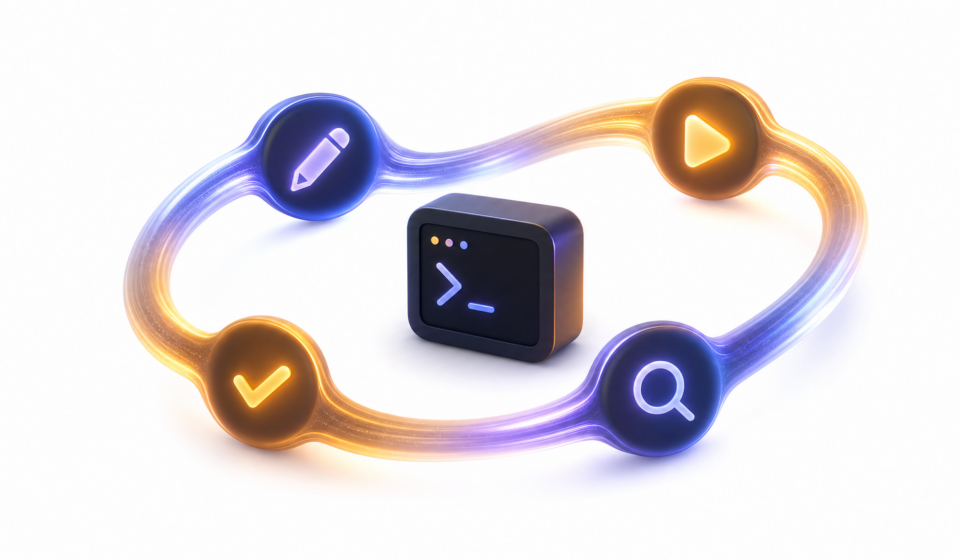

For a whole afternoon last month, my plain code-completion tool kept handing me a fix that looked correct and wasn’t. A date function was off by one day. The autocomplete confidently rewrote the same broken line four times, each version looking clean, none of them passing. I was the one running the tests by hand, copying the red output back, and asking again.
Then I handed the same bug to an agent that could run the tests itself. It changed the line, ran the test suite, read the failure, changed it again, and stopped only when the suite went green. Three loops. No babysitting from me.
That gap is the whole point of this post. The model guessing the next line of code is one thing. A program wrapped around that model, one that can run your tests and react to what they say, is a different thing. That wrapper is called an agent harness, and the harness I reach for is Claude Code. Let me show you why, in plain terms, and let me be honest about where the other tools genuinely win.
Prefer to listen? Here is the full post as audio (about 12 minutes), narrated with AI.
In this post
What is an agent harness, actually?
An agent harness is the program built around the AI model that lets it read your files, run commands, and keep looping until the job is done.
Think of the model as an engine. An engine on a workshop floor is powerful, but it cannot take you anywhere on its own. The car built around the engine, the wheels, the steering, the brakes, the dashboard, is what turns that power into something you can drive. The harness is the car. The model is the engine inside it.
On its own, the model only produces text. It cannot open app.py, it cannot run npm test, and it cannot see whether the thing it just wrote actually works. The harness gives it hands. It lets the model say “read this file” and then feeds the file back. It lets the model say “run this command” and then feeds the output back. Cursor, GitHub Copilot, Aider, Codex CLI, and Claude Code are all harnesses. They wrap similar models in very different cars.
Generating tokens vs agentic coding: what’s the difference?
Plain autocomplete predicts the next word and stops. An agent runs a tool, looks at the result, and tries again. That second loop is the entire difference.
A token is a chunk of text, roughly a word or part of a word. When a model “generates tokens,” it is doing fancy autocomplete: you type, it predicts what comes next, it prints that, and it is finished. It never checks its answer. It cannot, because it has no hands. This is what powered the off-by-one bug I started with. The completion looked right because right-looking code is exactly what autocomplete is trained to produce.
Agentic coding adds a loop on top. The agent picks a tool, runs it, reads what came back, and decides the next move. Read a file. Run a test. Search the code. Build the project. Each result changes what it does next. Here is the shape of it, side by side:
| Plain autocomplete | Agentic coding |
|---|---|
| You type, it predicts the next line | You describe a goal |
| It prints a guess and stops | It runs a tool and reads the result |
| You check whether it works | It checks whether it works |
| You feed errors back by hand | It feeds its own errors back and retries |
The official Claude Code docs put the agent version in one line: it “reads your codebase, edits files, runs commands, and integrates with your development tools.” Notice every verb in that sentence is an action, not a prediction.
Why do people call it “vibe coding”?
Vibe coding means you describe what you want, accept the changes the agent makes, and barely read the actual code. It is fine for throwaway work and risky when you are still learning.
The term comes from Andrej Karpathy, a well-known AI researcher who helped start OpenAI. In a February 2025 post he wrote about “a new kind of coding I call ‘vibe coding’, where you fully give in to the vibes, embrace exponentials, and forget that the code even exists.” He described his own loop as: “I just see stuff, say stuff, run stuff, and copy paste stuff, and it mostly works.” He was honest about the limits in the same post, calling it fine for “throwaway weekend projects” and admitting that sometimes he just asks for random changes until a bug goes away.
That honesty matters, because the workflow has a sharp edge for beginners.
Is vibe coding bad for beginners?
Mostly, yes, if it replaces learning. When you accept code you do not understand, you ship a working app and learn almost nothing. One of my students built a login page this way in an evening and felt great, until a small bug appeared and they could not even find the file where the problem lived. The app worked right up until it didn’t, and then there was nothing in their head to fall back on. For a weekend toy, vibe coding is fine. For the months when you are building the knowledge you will use for years, it quietly robs you. I will come back to how to use these tools without that happening.
Why do tool calls make the agent better?
Because a tool call lets the agent check its own work instead of guessing. Guessing produces plausible code. Checking produces working code.
A “tool call” is the agent asking the harness to do something real: read a file, run a test, search the code with grep, build the project. The result of that action comes back as new information, and the agent uses it to decide the next step. Stack those steps and you get a feedback loop. A guess becomes a fix.
Take my off-by-one date bug. Here is roughly what the agent did, step by step:
- Read the file that held the date function.
- Edited the line it thought was wrong.
- Ran the test suite and read the failure.
- Saw the date was still one day off, looked at a timezone setting it had missed.
- Edited again, re-ran the tests, and stopped when they passed.
Plain autocomplete can only ever do step two. It writes a plausible line and trusts it. The agent does steps one through five, and the test result at step three is what turned a confident wrong answer into a real fix. The tool calls are not a side feature. They are the reason the second tool worked and the first one didn’t.
This is also why the quality of your tests matters more once you start using an agent. The agent is only as good as the signals it gets back. If your tests are thin, the agent has nothing solid to check against, and it slides back toward guessing. Good tests, a working build command, and a linter used to be hygiene. Now they are also the feedback the agent reads to correct itself. I have watched the same model do careful work in a well-tested project and sloppy work in a messy one, and the difference was the quality of the results it could read.
How does Claude Code compare to the other agent harnesses?
They are all good, and they win at different things. I reach for Claude Code, but I would not call the others wrong choices. Here is an honest grid before I make my case.
| Tool | Type | Interface | Best for |
|---|---|---|---|
| Claude Code | Full agent | Terminal, IDE, web | Steerable agent work in the terminal |
| Cursor | Autocomplete + agent | IDE (VS Code fork) | Best inline-edit feel in an editor |
| GitHub Copilot | Autocomplete + agent | IDE (VS Code, JetBrains) | Everywhere, free to start |
| Aider | Full agent | Terminal | Open-source, git-native workflow |
| Codex CLI | Full agent | Terminal | Safe sandboxed runs, CI/CD |
| Gemini CLI | Full agent | Terminal | Big context, free daily use |
| Kimi Code | Full agent | Terminal, IDE | Strong coding on a small budget |
| Qwen Code | Full agent | Terminal | Open-weight models, big context |
| Open Code | Full agent | Terminal, IDE | Any model, no lock-in, runs offline |
| Pi Coder | Full agent | Terminal | Minimal, hackable, build-your-own |
| Kilo Code | Autocomplete + agent | IDE, terminal | Editor + CLI, 500+ models |
Now the fair credit, because each rival earns it. Cursor has the best inline-edit feel of anything I have used; typing in its editor and watching it complete across files is genuinely smooth, and students get a free year with a school email. Copilot is everywhere and has a real free tier, so it is often the first agent a beginner ever touches. Aider is open source, model-agnostic, and git-native: every change is a commit you can undo, which is a lovely way to stay in control. Codex CLI runs every command inside a sandbox, so a risky command cannot wreck your machine, and Gemini CLI gives away a generous daily free tier with a huge context window.
One honest warning on that last one. Google announced in May 2026 that Gemini CLI is being retired and replaced by a new tool called Antigravity CLI, with the old tool set to stop serving most users around mid-June 2026. If you are picking a terminal agent this month, that matters.
A newer wave of open-source agents is worth knowing too, so I added them to the table. Kimi Code and Qwen Code each ship with their own strong model: on SWE-bench, a public test of whether an agent can fix a real GitHub issue, Moonshot’s Kimi K2.5 scores about 77% and Alibaba’s Qwen3-Coder about 70%, against roughly 80% for Claude Sonnet 4.6. Treat those numbers as rough, because they are self-reported and shift with every release. The other three, Open Code, Pi Coder, and Kilo Code, bring no model of their own, so their performance is simply the performance of whatever model you connect.
On price, this group leans cheap. Kimi Code and Qwen Code give you the tool for free and charge only for their model, which runs well below the big US models. Kimi Code starts near $19 a month, or a few cents per million tokens if you pay as you go. Qwen Code is free to install, but its free daily tier closed in April 2026, so you now bring your own key or a paid plan.
Open Code, Pi Coder, and Kilo Code go further and add no markup at all. You point them at any model, including a free local one, and pay only what that model costs. Kilo Code even gives new users $20 of credit to start, and Open Code offers a low $10-a-month plan for open-weight models if you would rather not manage keys.
So why Claude Code for me? Four reasons. It lives in the terminal, which fits the way I already work with files and git. It has a plan mode that writes out its approach before touching a single file, so I can read the plan and correct it early. It can spin up subagents for focused side jobs, like reviewing a change, without cluttering the main session. And it is steerable: hooks and a CLAUDE.md rules file let me set guardrails the agent actually follows, plus the model quality on hard bugs has been the most reliable for me. That last point is taste, and yours may differ.
Plan mode is the feature I would miss most. When I ask for a change, the agent first writes out what it intends to do, which files it will touch, and in what order, and then it waits. I read that plan like a junior engineer’s proposal. Half the time I catch a wrong assumption before any code is written, and a two-line correction at that stage saves me a tangled mess later. For a beginner this is the single most useful habit a harness can teach, because it forces the thinking to happen out loud where you can see it and learn from it.
A guess that looks right is not the same as code that runs. The tool calls are what close that gap.
So should a beginner use it?
Yes, but use it to learn, not to skip learning. The tool should make you a stronger developer, not a faster button-presser.
Here is the rule I give my students at DevHives. Read every change before you accept it. If you do not understand a line, ask the agent to explain it, then ask why it chose that approach over another. And turn the agent off sometimes; write a small feature by hand once a week so the muscle does not go soft. An agent is wonderful for showing you how an experienced developer would approach a problem. It is terrible as a way to avoid ever learning that yourself.
If you are still unsure whether any of this is worth your time, I wrote a fuller answer in Is It Worth Learning to Code Now That AI Exists? The short version: the people these tools reward most are the ones who understand the code, not the ones who avoid it. That is also why entry-level hiring is shifting the way it is, which I dug into in The Junior Developer Job Market in 2026.
Which harness should you try first?
If you want one answer: install Claude Code and run a real task in plan mode. But the best first tool depends on what you already have and how you like to work, so here is how I would rank them for someone starting today.
- Claude Code: my daily driver. Best if you are comfortable in a terminal and want a steerable agent with plan mode. It is paid, and worth it for the control.
- Kimi Code: Moonshot AI’s open-source terminal agent, built on its Kimi K2 models. It can run many sub-agents at once and the models cost less than most, so it is a strong pick if you want agent power on a smaller budget.
- Qwen Code: Alibaba’s open-source terminal agent, built on its Qwen3-Coder models. It is free to install, but since its free usage tier closed in April 2026 you now bring your own API key or a paid plan.
- Open Code: fully open source and model-agnostic. You point it at any model, including local ones, and your code stays on your own machine. Pick this if you want no lock-in.
- Cursor IDE: pick this if you live in an editor and want the smoothest inline-edit feel. It has a free tier, students get a free year of Pro with a school email, and there is now a Cursor CLI if you prefer the terminal.
- Codex CLI: OpenAI’s terminal agent that runs every command inside a safe sandbox, and it is bundled with ChatGPT plans. Reach for it if you already live in the ChatGPT world or want safe automated runs.
- Aider: open source and git-native, where every change is its own commit you can undo. You bring your own model API key.
- GitHub Copilot: everywhere and familiar, already in VS Code with a real free tier. It is often the first agent a beginner ever touches.
- Pi Coder: a small, open-source terminal harness you shape with your own extensions and skills. Best if you like a minimal, hackable base instead of a tool with everything baked in.
- Kilo Code: an open-source agent that works inside VS Code, JetBrains, and the terminal, with separate modes for planning, coding, and debugging. You pay only for the model tokens you use.
I left Gemini CLI off this ranking on purpose. Google is retiring it around mid-June 2026 and moving people to a new tool called Antigravity CLI, so it is not where I would send a beginner this month.
Try this one thing this week
Pick one real task you already understand, something small like adding a single function or fixing a known bug. Run it through an agent in plan mode and read the plan before you accept anything. Ask yourself: would I have done it this way? Where did the plan surprise me? That single habit, reading the plan before the diff, is what separates a learner who grows from a vibe coder who stalls.
When you are ready to go deeper on building knowledge that sticks, read How to Study a Programming Book Without Skimming It next.