Claude Max 5× vs 20×, Explained With Pizza
The jump from Claude Max 5x to 20x doubles the price. Here is what the multiplier actually buys you, explained with a pizza.
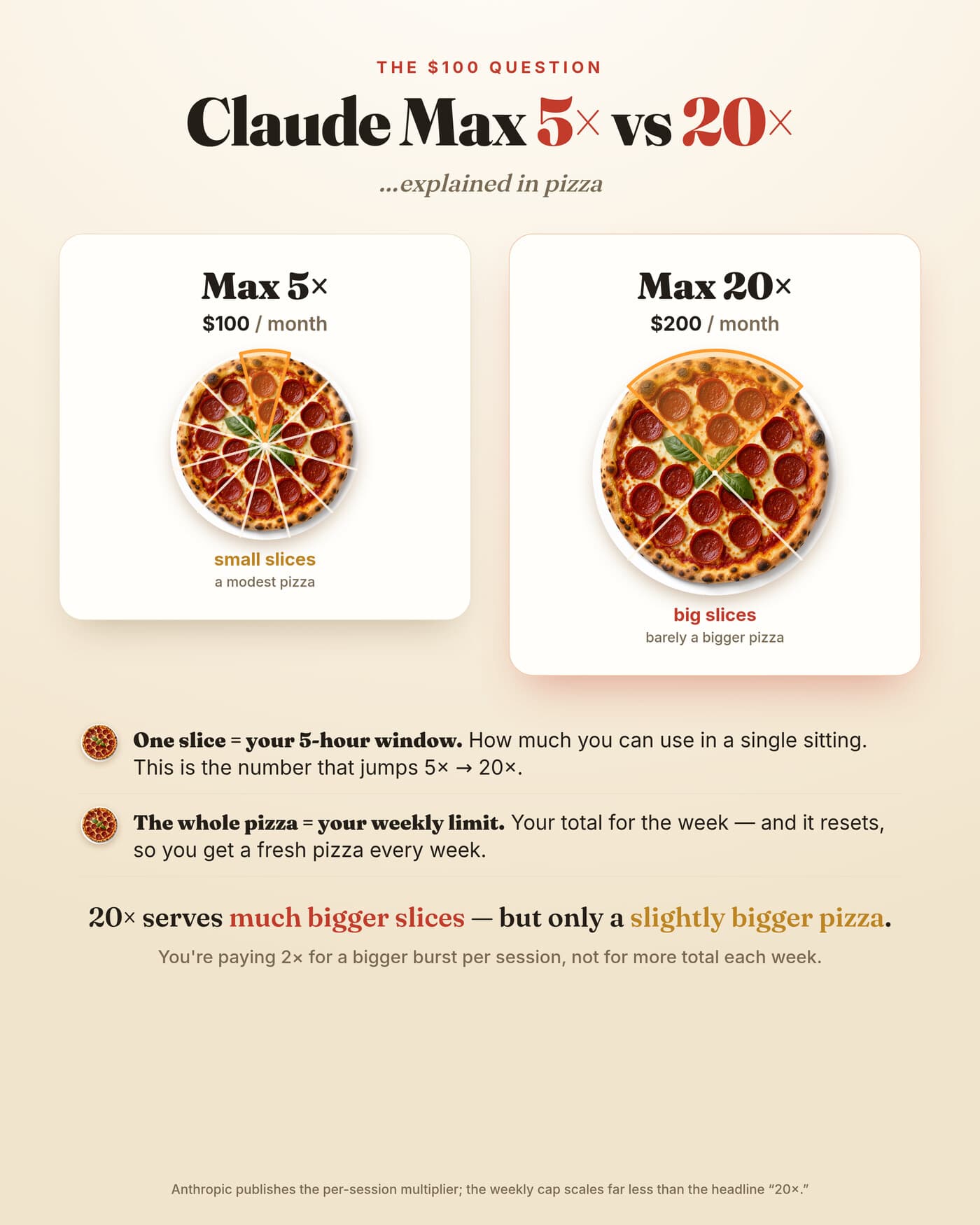
If you use Claude a lot, you have probably hit the same fork in the road: the Max 5× plan at about $100 a month, or Max 20× at about $200. The price doubles. The name hints you get four times as much. Both of those feelings are a little misleading, and the gap between them is exactly where people overspend. Here is what the multiplier actually buys, explained with a pizza.
What the “×” actually refers to
That multiplier is measured against the Pro plan. Max 5× means roughly five times Pro’s usage, and Max 20× means roughly twenty times. What matters is where that extra capacity shows up, because Claude’s usage runs on two different clocks at once and the multiplier does not treat them equally.
Clock one is the rolling 5-hour session window. Every few hours you get a fresh budget; burn through it and you wait for the window to reset. This is the limit most heavy users feel during a long coding or writing push. Clock two is the weekly limit, a ceiling on how much you can do across the whole week, which also resets on its own schedule. You can be completely fine on one clock and still get blocked by the other.
The pizza
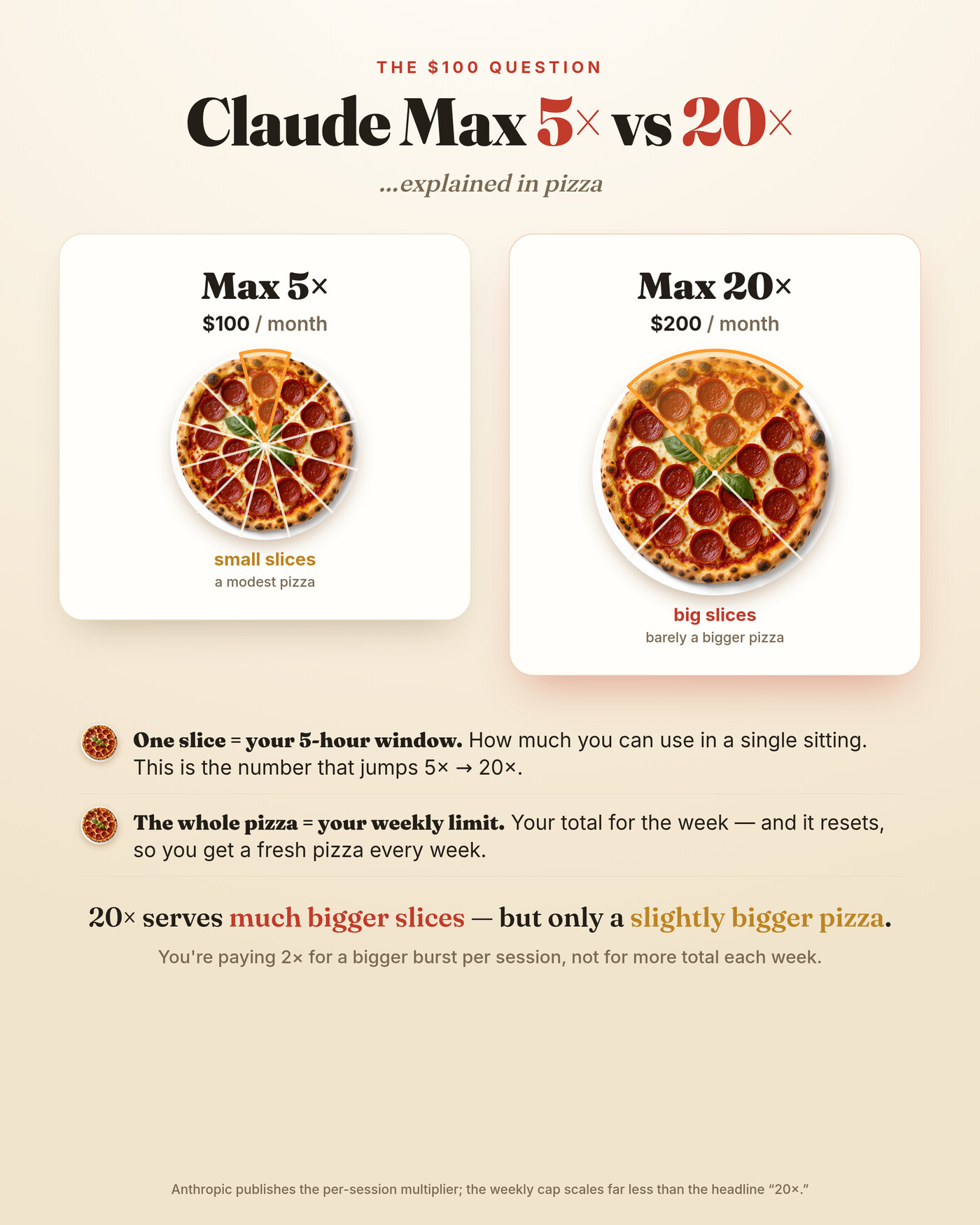
Picture your plan as a pizza you receive every week. A single slice is one 5-hour window: how much you can eat in one sitting before you stop and wait for the next window. The whole pizza is your weekly allowance, and it resets, so a fresh one arrives each week.
Now the key move. Going from Max 5× to Max 20×, the headline number jumps most on the slice. The 20× plan serves much bigger slices, so you can do far more in a single session before hitting a wall. That is genuinely valuable if your problem is getting cut off in the middle of a long task. The pizza, though, grows far less. Your weekly total does rise, but nowhere near four times the 5× plan’s pizza. You are mostly paying the extra $100 a month for a bigger burst per sitting, not for a proportionally bigger week.
5× vs 20× at a glance
| Max 5× | Max 20× | |
|---|---|---|
| Price | ~$100 / month | ~$200 / month |
| Slice (per 5-hour session) | Solid | Much larger |
| Pizza (weekly total) | Baseline | Larger, but not 4× |
| Best for | Steady daily use | Long, intense single sessions |
Why this trips people up
Readers see “20×” and quietly assume every limit scales together: bigger sessions, a much bigger week, maybe a separate monthly allowance on top. In reality there is no separate monthly bucket to reason about. There are those two clocks, the session window and the week, and the multiplier lands hardest on the session window while the weekly cap scales far more gently than the name implies.
How to actually choose
Be honest about which wall you hit. Follow this quick test:
- Run one normal week on 5× and note every time you get limited.
- Ask what stopped you. “I was in the middle of something” is a slice problem. “It is only Wednesday” is a pizza problem.
- Match it to the tier. Slice pain points straight at 20×, where the bigger sessions pay off immediately. Weekly pain is weaker justification, since the weekly cap rises less than the headline suggests.
If the week is your bottleneck, try tightening how you work before you upgrade: shorter prompts, fewer dead-end threads, and a smaller working context all stretch the same pizza further. You can confirm the current tiers and limits on Anthropic’s pricing page, which is the authority that actually governs your account.
Key takeaways
- The “×” is measured against Pro and lands mostly on the 5-hour session window.
- Max 20× buys much bigger sessions but only a modestly bigger week.
- There is no separate monthly limit, just the session window and the weekly cap.
- Pick based on which wall you actually hit: mid-session, or late in the week.
What eats your pizza fastest
Two users on the same plan can hit very different walls, because not every request costs the same. A few habits burn through a slice far quicker than others. Knowing them helps whichever tier you land on.
- Model choice. The most capable models do more per reply, and they draw down your budget faster than lighter ones. For routine edits, a smaller model stretches the same slice.
- Context size. Pasting a huge file or a long chat history into every turn means Claude re-reads all of it each time. Trim what it does not need.
- Long agentic runs. Tool-heavy sessions that loop for a while are the hungriest of all. They are also where the 20× slices earn their keep.
None of this means watching a counter all day. A little awareness simply makes either tier go further.
A day on 5×, in practice
Say you start the morning with a long refactor. That one deep session leans hard on a slice, and on 5× you might feel it tighten near the end. You break, the window resets, and the afternoon gives you a fresh slice for reviews and smaller tasks. Day to day, 5× handles this rhythm well.
The strain shows up differently across a busy week. String together several heavy days and you edge toward the weekly ceiling, the edge of the whole pizza. That is the moment people reach for 20× hoping for rescue. It helps. Just not as much as the label suggests, which is the whole reason to measure a real week before you upgrade.
Related reading
The bottom line
Decide by the clock that stops you, not by the number on the box. If long, uninterrupted sessions are where you struggle, 20× removes that wall and feels worth every dollar. If you simply want more total output each week, the upgrade delivers less than its name promises, so measure a real week first. Plan names, prices and limits change over time, so confirm the current details on Anthropic’s official pricing and support pages before you commit.


