GPT-6.1 Terra Pro pricing: a mode, not a new model — and why your bill grows
GPT-6.1 Terra Pro is the same model as GPT-6.1 Terra, run with reasoning.mode set to pro. Each token costs the same; Pro just does more work per request, so you pay for more tokens and wait longer. Use it only for hard problems.

On 28 October 2026, OpenRouter listed four GPT-6.1 Terra routes: Terra, Terra batch, Terra Pro and Terra Pro batch. That is from Digital Applied's capture of the listing. Terra Pro shows $1 per million input tokens and $5 per million output tokens, the same price as base Terra. Yet the same listing warns that Pro costs more. How can one price give you two different bills?
GPT-6.1 Terra Pro is the same model as GPT-6.1 Terra, run with reasoning.mode set to pro. Each token costs the same on both routes. Pro mode does more reasoning work on every request, so you are billed for more tokens and you wait longer. Use it only for hard problems.
GPT-6.1 Terra Pro is a mode, not a new model
The LLM24 listing shows that OpenRouter's Terra Pro route points to the same model as GPT-6.1 Terra. The only change is reasoning.mode set to pro. You do not get a smarter model, and you do not get a cheaper deal.
GPT-6.1 Terra came out on 26 October 2026. On OpenRouter the Pro route accepts about 1.1 million tokens of context and up to 128,000 output tokens.
OpenAI describes the two modes like this in its reasoning guide:
"standard is the default. Set reasoning.mode to pro for difficult tasks... Pro mode performs more model work than standard mode, increasing token usage and cost."
In plain words, the setting changes how hard the model works on your question. It does not change which model answers.
Same list price, bigger bill
Pro mode bills its extra work at the standard token rates. The whole cost difference comes from how many tokens a request uses, as Digital Applied points out. They put it simply: identical per-token prices do not mean an identical total bill.
The OpenAI guide explains where those tokens come from. Pro mode adds up all the model work behind the final answer and bills that total. You never see most of that thinking, but you pay for it.
OpenRouter's own description, copied on LLM24, says a typical Pro request costs "several times more" than the same request on base Terra and "takes much longer to complete." No source gives an exact multiplier, so I will not guess one. Here is an example with assumed numbers, not measured ones. At the listed $5 per million output tokens, a request that produces 2,000 output tokens costs $0.01 in output. If Pro uses five times as many tokens, an assumed multiplier, that is 10,000 tokens and $0.05. At an assumed rate of ₹90 to the dollar, that is about ₹0.90 against ₹4.50 for the output alone. Run it a few hundred times in an agent loop and the gap becomes real money.
| GPT-6.1 Terra | GPT-6.1 Terra Pro | |
|---|---|---|
| Price per token | Same list price | Same list price |
| Reasoning tokens per request | Standard amount | Far more |
| Speed | Faster | Much slower |
| Typical bill per request | Lower | Several times higher |
My earlier post on what GPT-6.1 Terra costs students covers the base price in detail. This one is only about the mode.
Mode and effort are two separate settings
Reasoning mode (standard or pro) and reasoning effort (none up to max) are independent, and effort defaults to medium in both modes, per the OpenAI reasoning guide. Many people mix them up. Setting effort to high does not turn on pro mode, and pro mode does not raise your effort.
The GPT-6 guide lists the effort levels GPT-6.1 Terra supports:
- none
- low
- medium (the default)
- high
- xhigh
- max
Here is the shape of a Responses API request with both fields set. Replace the placeholder with the model ID shown on the OpenRouter model page for the route you chose.
const response = await client.responses.create({
  model: "your-terra-model-name",
  input: "Find the bug in this function...",
  reasoning: {
    mode: "pro",      // "standard" is the default
    effort: "medium"  // the default effort
  }
});
OpenAI's advice in the same guide is short: "Start with medium and increase it if the improvement in quality is worth the added time and tokens."
Stay on base Terra for everyday coding and chat
For everyday coding, agent and chat work, OpenRouter itself tells you to use base GPT-6.1 Terra, according to the LLM24 listing. Pro adds cost and waiting time without a benefit you would notice on small tasks.
Say you have one failing test in a class project, and the error points at a single line. Base Terra will find it. Say you need a regex for Indian PIN codes or US ZIP codes. That is a quick answer, not a deep problem.
The same goes for pasting a stack trace and asking what it means, or drafting a README for your GitHub repo. These jobs need a clear answer fast. Extra thinking just makes you wait.
Here is how the two routes compare on small tasks like these:
Pros
- Base Terra costs less per request.
- Base Terra answers faster, so you can keep working without waiting.
- Base Terra is good enough for most class and personal projects.
Cons
- Pro makes you wait much longer for an answer base Terra could give.
- Pro bills you for thinking the task did not need.
The context window is also the same on both routes. Pro does not let you paste in a bigger codebase.
Pay for Pro on hard, high-stakes problems
Pro is worth the cost when a task is hard and a wrong answer is expensive. The modelgrep listing describes it this way: Pro is meant for hard tasks where a wrong answer is expensive. Deep debugging across many steps is one example. A long agent task is another.
A bug crosses several files, and it has survived two fixes that base Terra suggested. One careful answer is now worth more than a fast one.
Imagine an agent that edits your project for a long stretch. If it stops halfway, you lose the time and the tokens already spent. More reasoning up front may save a restart.
A tight deadline is a risk with Pro, because it can take much longer to answer. When time is short, try base Terra at higher effort first, and use Pro only if you can afford the wait.
How much more accurate Pro is depends on the task. None of the sources I opened gives a benchmark score for Pro, so I claim none. Test it on your own hard task before you trust it.
A rule for when to switch up
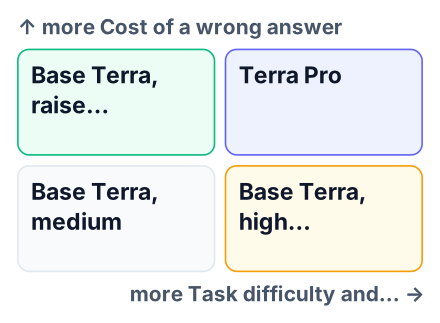
Start on base Terra at medium effort, and move to Pro only after a hard task has failed there, one task at a time. This follows OpenAI's own advice in the GPT-6 guide to raise settings only when the quality gain is worth it.
Run on base Terra at medium effort
Send every new task here first, with no extra settings.
Raise effort one level
If the answer is wrong on a hard task, try high effort, still in standard mode. Higher effort also uses more tokens, so check the
usagefield after each step.Send that one request to Terra Pro
If it still fails and the task justifies the cost, switch only this request to pro mode.
Go back to base Terra
Start the next task on base Terra again. Do not leave Pro switched on.
Kimi K3.1 Pro is an open-weight alternative
If the Pro bill worries you, Kimi K3.1 Pro is an open-weight model that some students try, though this post has no price or benchmark comparison for it. Open-weight means anyone can download and run the model, and several providers host it.
Watch the word "Pro" across tools. Claude Pro is a subscription that limits how much you can use. Terra Pro is a reasoning mode that charges you per token. The names match, but the deals are different.
Does Terra Pro cost more than Terra per token?
No, the list price is the same, as Digital Applied notes. See the worked example above for how the bill still grows.
The batch versions from that same OpenRouter capture are worth a look if you can wait for results. Prices on OpenRouter can change, so open the live model page and check the current rate before you spend.
Your next step: take one task you did this week and run it on base GPT-6.1 Terra at medium effort. Note the token count in the usage field of the response. Only if a hard task fails there, send that one request to Terra Pro and compare the two token counts yourself.


