Gemini Decisions API: 1,000 Scores in One Pass, Pennies per Call
Google's new Gemini Decision 1 model scores up to 1,000 questions in a single pass over any file, in milliseconds. It costs $0.10 per million input tokens with zero output charges. Build a router, grader, or policy checker today.
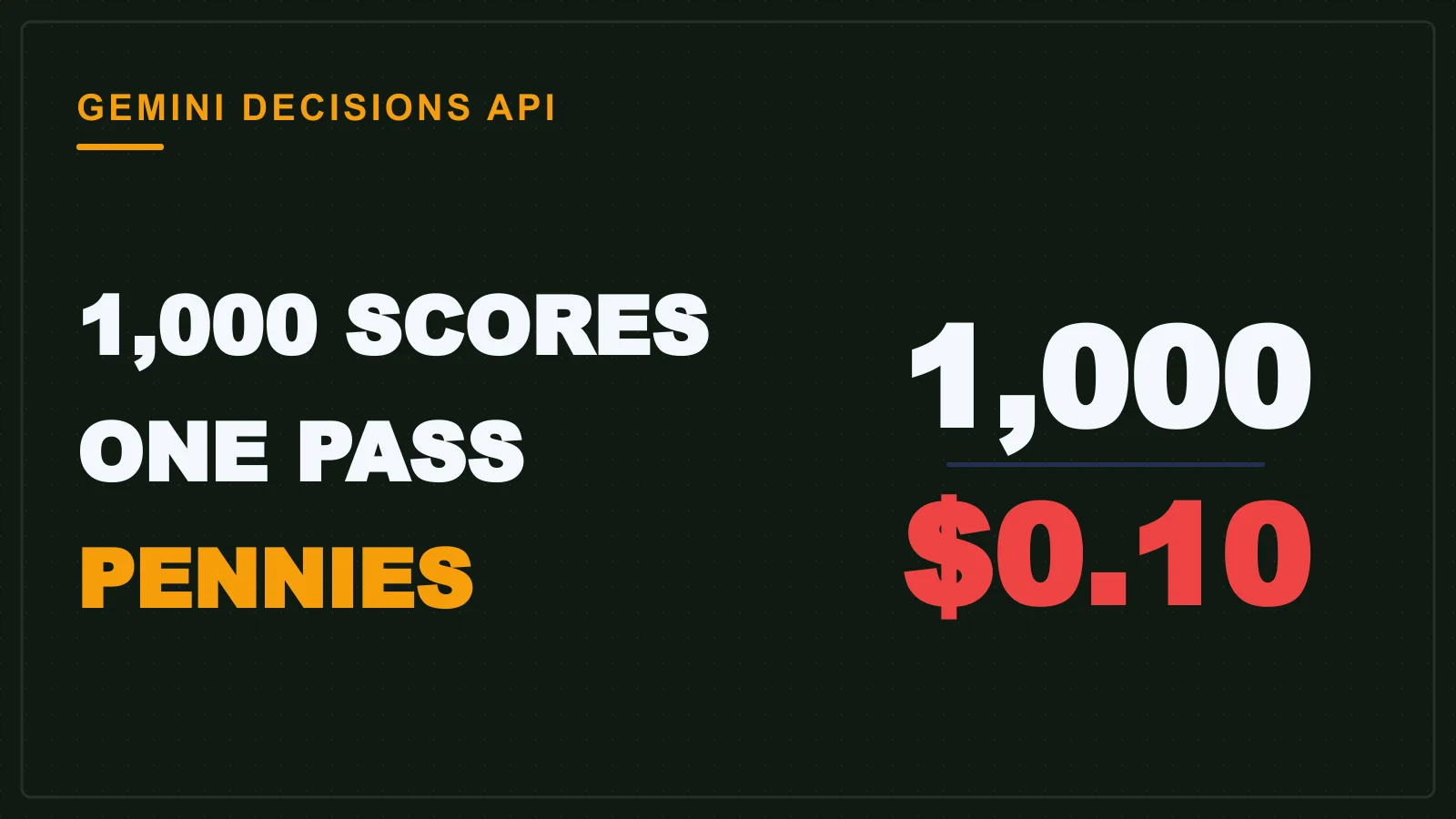
The Gemini Decisions API is a scoring model, not a chat model. It answers up to 1,000 yes/no, multiple-choice and rubric questions in one pass over a document. One pass means fast and cheap. It returns a confidence score from 0 to 1 instead of writing answer text, which makes it nearly free for building routers, graders and policy checks. It is built on a new model called Gemini Decision 1, published on 11 November 2026.
What Gemini Decision 1 actually is
Gemini Decision 1 is a decision model that returns a confidence score, not chat text, for each question you ask, according to Google's announcement. It takes up to 1,000 yes/no, choice (2-255) and rubric-score questions at once. All of them process one multimodal input of up to 256K tokens, which can mix text, images, audio, video and PDFs. That shared input is billed once, no matter how many questions hang off it.
The team at MLQ.ai reports that the probabilities and confidence scores come back in 150 to 250 ms end-to-end, with median model compute of 50 to 100 ms on contexts up to 16K tokens. Latency stays nearly flat as you go from 1 to 100 questions. Contrast that with a generative chat model, which writes every answer as prose and bills you for each token of that prose. A scoring model skips the writing entirely.
| Capability | Value |
|---|---|
| Questions per pass | Up to 1,000 |
| Question types | Yes/no, choice (2-255), rubric score |
| Input size | Up to 256K tokens (mixed modalities) |
| End-to-end latency | 150-250 ms |
Pricing: $0.10 per million input tokens, $0 output
The API costs $0.10 per million input tokens for the shared input, and output tokens are not billed at all, per Google's pricing page. That is roughly 5x cheaper than Gemini 3.5 Flash-Lite with the Interactions API, as The Decoder notes. There is also a free no-cost tier for prototyping inside Google AI Studio.
Run the math on your own project. Say a grading call sends a few thousand tokens of student text with a hundred rubric questions attached. That input is billed once, at a tenth of a cent per thousand tokens. The whole check costs fractions of a cent. The output cost is zero. A student testing twenty variations a day would spend less than a rupee's worth of API credits at that volume.
from google import genai
client = genai.Client()
response = client.models.generate_content(
    model="gemini-decision-1",
    contents="The quick brown fox jumps over the lazy dog.",
    config={
        "thinking_config": {"include_thoughts": False},
        "candidate_count": 1,
    },
)
Why OpenAI, Cloudflare, Microsoft and Jev all shipped similar APIs
Scoring APIs became the new pattern for fast, cheap AI decisions, and Google's entry ties the low price point, as MLQ.ai reports. Jev shipped its scoring model first, then OpenAI, Cloudflare and Microsoft released similar ones in recent weeks. The Decoder confirms that Gemini Decision 1's price ties Meta's Muse Ember at $0.10 per million input tokens. The wave is not a coincidence: all of these vendors saw the same waste in generative chat for classification tasks.
For a student, this replaces two older habits. One is hand-written classifiers with a pile of rules and regexes that break on the first edge case. The other is long generative prompts that ask a chat model to answer "yes or no" and then bill you for three paragraphs of explanation. A scoring model gives you a number faster and costs less than either approach.
Project 1: Build a query router that mirrors Gemini Notebook's trick
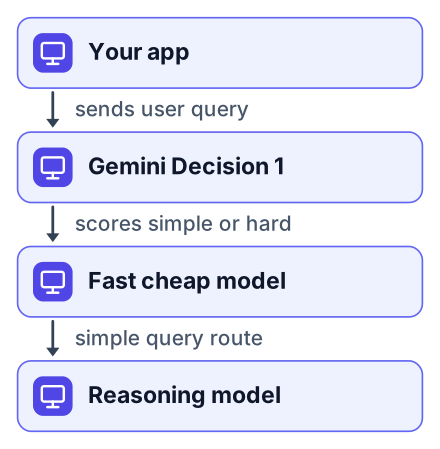
A scoring model can route simple queries to a cheap model and hard ones to a reasoning model, cutting latency on easy queries. Google already does this internally in Gemini Notebook to reduce latency on everyday queries, as its announcement explains. You can copy that architecture with a few dozen lines.
Define the route question
Ask Gemini Decision 1 whether a query is simple or hard, with a confidence threshold like 0.8.
Route by the score
Send scores above the threshold to a fast model like Gemini Flash. Send everything else to a reasoning model.
Measure your latency
Log the time for each path. You should see the fast path dominate, which is where the latency savings come from.
The key insight is that the scoring call costs you pennies, and every query it routes to the cheap model saves the long output tokens of a reasoning model. With zero output tokens on the decision itself, the router becomes nearly free to run at scale.
route_prompt = [
    "Is this query simple or complex?",
    "Explain quantum entanglement in one paragraph for a beginner.",
]
response = client.models.generate_content(
    model="gemini-decision-1",
    contents=route_prompt,
    config={"candidate_count": 1},
)
Project 2: Grade essays and quizzes against a rubric
Use rubric questions to score a student's work in one pass, flagging low-confidence answers for human review. The approach is straightforward: define your rubric as a set of yes/no or rubric-score questions, pass the essay as the single input, and read the confidence values from the response, per Google's documentation.
Pros
- One API call scores every criterion at once
- Confidence scores tell you which answers need a human eye
- Zero output token cost keeps volume grading affordable
Cons
- Rubric design still needs your judgment
- Low-confidence answers fall back to manual review
- Subjective criteria are harder to score reliably
A low-confidence answer, say a score below 0.5, gets flagged in your pipeline. Your code sends that one answer to a human reviewer instead of trusting the model. That is a practical grading workflow: the model handles the bulk, the human handles the edge cases, and nobody has to read every response twice.
Project 3: Run a multimodal policy check on a PDF or image
One call can read a scanned form or photo and answer yes/no questions about it, like checking for a signature or a policy rule. Build a small app that takes an uploaded file, converts it to the right multimodal input, and asks your questions against it, according to Google's API guide.
The same pattern shows up inside Google's own products. MLQ.ai notes that Google uses decision models for safety checks and builds a safety layer for MCP tools in Search. Your version is simpler: does this scanned document have a valid signature, does this photo show the required safety gear, does this receipt contain a purchase over a few thousand rupees. Each is a yes/no question the model answers with a confidence score. A document-processing app built this way replaces a slow, expensive OCR-plus-chat pipeline with one fast call.
How to try it today with the free AI Studio tier
You can prototype with Gemini Decision 1 in AI Studio right now at no cost, as Google's launch post explains. Open Google AI Studio, select the gemini-decision-1 model, paste a sample input and a handful of questions, and you will see the confidence scores returned instantly. No billing setup needed for the prototyping tier.
Open Google AI Studio
Go to aistudio.google.com and sign in with a Google account.
Pick gemini-decision-1
Choose the model from the dropdown. It appears in the model list.
Paste your input and questions
Add a text block or upload an image, then list your yes/no or rubric questions.
Read the confidence scores
The response shows a probability for each question, which you can use directly in code.
When you are ready to move beyond the free tier, integrations are rolling out across OpenRouter, LangChain, Vercel, LiteLLM, Pydantic AI, Pipecat, LiveKit, OpenCode, and the google-genai SDKs, per Google's announcement. That means you can drop a decision model into an existing agent stack without writing custom glue code.
What this means for your agent projects
For a student building agents, decision models are a cheaper and faster building block than long generative prompts. Instead of writing a classifier by hand or paying a chat model to write a long answer, a scoring model gives you a number you can branch on, per Google's documentation. A router, a grader and a policy checker are the three obvious starting points, and each one replaces a slower, more expensive design.
The zero-output-token detail changes how you design pipelines. When the decision itself costs nothing to generate, you can afford to ask many more questions than you would with a generative model. A hundred rubric checks on one document becomes cheaper than a single chat completion that writes a paragraph. That is the design shift worth internalizing for your next agent project. Related reading: how to cut Gemini API cost with a routing classifier, the Gemini 4 Carbon and Swarm pricing for students, and Gemini Omni 1.2 Flash free video for students.
Open Google AI Studio, pick gemini-decision-1, and run one of these three projects today: a router, a grader, or a policy checker.


