Gemini Omni 1.2 Flash: What a 15-Second Clip Really Costs
A 15-second clip from Gemini Omni 1.2 Flash costs about $1.05 through the paid API. But for one portfolio video, you can skip the API entirely and use Google Vids for free.
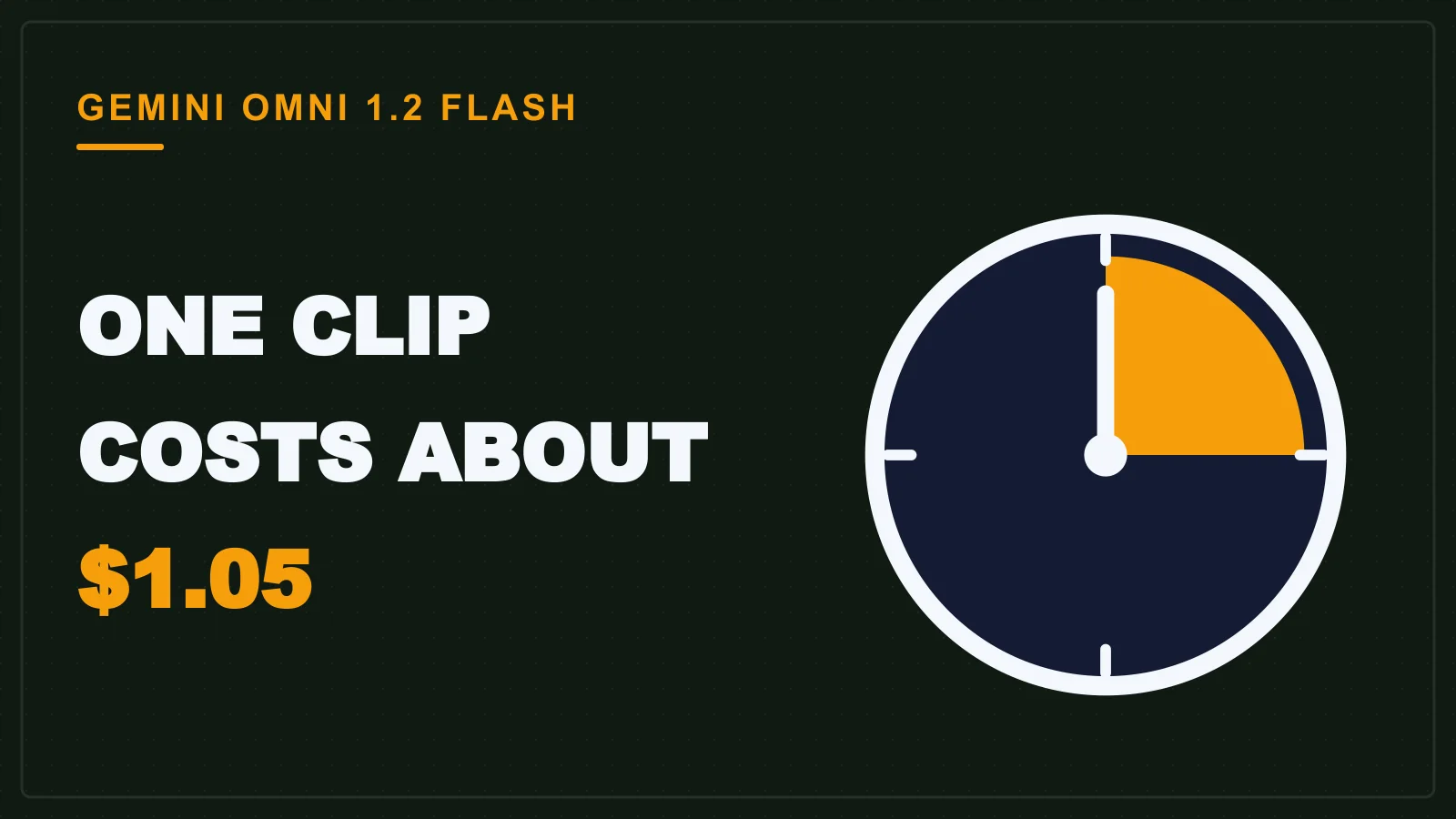
At $0.07 a second, a 15-second AI clip is $1.05. That is how Google prices its new video model, Gemini Omni 1.2 Flash, and it adds up fast when you are trying intros for a portfolio site. Before you press generate, work out what each take costs, and whether you need to pay at all.
For one portfolio video, use Google Vids for free and keep the paid API for projects where code calls the model. Google lists $0.07 per second of 720p video, 30% less than Omni 1.1. If you are making one portfolio video, you can skip the API. Google Vids gives any Google account three free 15-second videos a month.
Two doors: free in Google Vids, paid in the API
Google Vids runs on Omni 1.2 Flash and is free; the Gemini API charges from the first second.
The two doors serve different people. This table puts them side by side.
| Google Vids (free door) | Gemini API (paid door) | |
|---|---|---|
| Who it is for | Anyone making a few clips by hand | Developers calling the model from code |
| Cost | No cost for up to three clips a month | $0.07 per second at 720p |
| Limits | A monthly cap of three 15-second videos | Any length from 3 to 15 seconds per clip, billed per second |
| Where you open it | vids.new | Google AI Studio or the Gemini API |
I covered the free route on its own in how students can use Gemini Omni 1.2 Flash for free video. This post stays on the money question.
What one clip costs at $0.07 per second
Multiply Google's per-second price by the clip length and you get about $0.21 for a 3-second clip, $1.05 for a 15-second clip, and $4.20 for a 60-second video built from four clips.
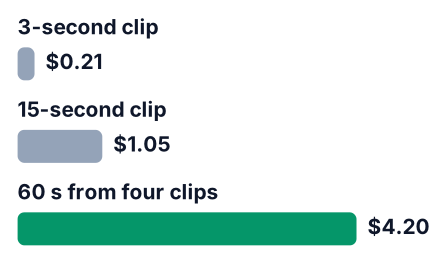
These are my own sums, not figures Google published.
| What you generate | Sum | Cost at 720p |
|---|---|---|
| Shortest clip, 3 seconds | 0.07 × 3 | about $0.21 |
| One full clip, 15 seconds | 0.07 × 15 | about $1.05 |
| Four 15-second clips (60 seconds) | 0.07 × 60 | about $4.20 |
Rate source: Google Cloud blog, November 6, 2026.
The Cloud post also says the cut from Omni 1.1 brings similar savings at other resolutions. Every amount here stays in dollars because no source gives a rupee price. As an estimate, ten 8-second drafts at 720p cost 10 × $0.56 = $5.60, or about ₹504 if you assume ₹90 to the dollar. Google Vids covers only three clips a month for free, so ten tries there would take over three months. If you pay from India, your bank's exchange rate on the day sets the final charge.
Draft at 720p and upscale only the take you keep
Google's draft-then-upscale workflow lets you test ideas at 360p or 720p, though only the 720p price is public. You pay for 1080p or 4K only on the one clip you will publish.
A draft is a rough version you watch once and mostly throw away. Upscaling turns the one draft you like into a sharper file, so you never generate the idea again from zero.
Say you are making a logo reveal for your site and try five 8-second versions before one looks right. At 720p, those five drafts cost 5 × $0.56 = $2.80 (my own sums). Google gives no public price for higher resolutions, so I cannot put a number on five higher-resolution takes. Whatever that rate is, you would pay it on four clips you delete.
Only the 720p price is public, so the full workflow total has one blank. Five 720p drafts cost $2.80 (my own sums). The one final clip costs its upscale rate, which you need to check in your console. Google's launch posts give a price for 720p only, so this post cannot price the 1080p or 4K upscale. The Google Cloud announcement says only that the cut brings similar savings at other resolutions, so check the current 1080p and 4K rates in your own billing console before you upscale.
Fix details with a follow-up edit, not a new clip
Omni 1.2 Flash supports editing through an ongoing conversation, so you can ask for a new background, lighting or aspect ratio in a follow-up message without regenerating the clip.
Say your intro clip is right except for one thing: the background is grey and your site is dark blue. A full regeneration charges you for the whole clip again. It may also change the parts you already liked, such as the camera move. One follow-up message ("make the background dark blue") keeps the rest of the shot.
Google's posts do not list a separate price for an edit. Look at your billing page after your first one so you know what it cost.
You can also get the first take closer to what you want. Google says the model follows reference images of a character, product or style, plus short motion clips of up to three seconds. A screenshot of your site's colours is a cheap reference.
Set the duration in one-second steps
The length is yours to set: choose any length from 3 to 15 seconds in one-second increments, so ask for the exact length the shot needs instead of defaulting to 15.
A title card or a product spin rarely needs the full length. An 8-second shot costs about $0.56 at Google's 720p rate (0.07 × 8), close to half the price of a full clip. Across a handful of drafts, that gap adds up.
Here are the three habits in the order you use them:
Draft small
Generate your first tries at 360p or 720p and upscale only the one you keep.
Edit, don't regenerate
Fix the background, lighting or framing with a follow-up message.
Trim the length
Ask for the seconds the shot needs before you press generate.
Which door should a student use?
Start in Vids for one portfolio video, and move to the API only when you are building a program that calls the model.
Paying makes sense once code is involved. Say your final-year project turns a recipe into a short cooking clip. That needs the API, because Vids is a tool you click through by hand.
Gemini API pros
- You can call the model from your own code.
- You choose the draft and final resolution.
- The model supports follow-up edits, so you can fix details without a new clip.
Where the Gemini API falls short
- There is no free monthly allowance.
- Cost grows with every regeneration you throw away.
One more thing for your portfolio. Every output carries a hidden mark called SynthID that Google adds, so software can tell the video is AI-made. Say that in the caption yourself. A recruiter respects honesty more than a surprise.
If the API door is where you are headed, read how to build video apps with Gemini Omni Flash next. For sketch-to-code work, Gemini Canvas is a related tool.
This week, generate one free 15-second clip at vids.new. Then open Google AI Studio and price the same clip at Google's per-second rate to see what the paid route would have cost you.